
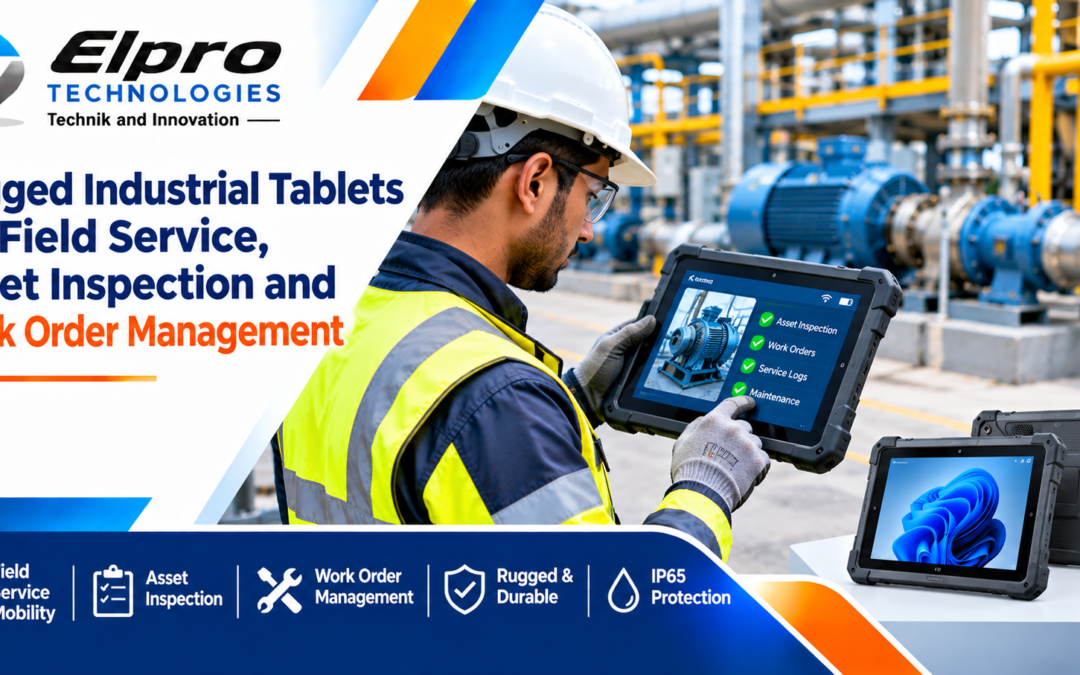
Field technicians need accurate information where the work happens: beside a machine, at a remote asset, in a warehouse aisle, or during a service visit. Rugged industrial tablets can bring inspection forms, equipment records, diagrams, and work orders into one mobile workflow. Their value depends on matching the device to the actual environment and software—not simply choosing a tablet because it looks durable. This guide explains the operational questions to resolve when planning mobile service and asset-management systems.
Make Field Workflows Available at the Point of Service
Mobile workflows may include planned inspections, fault reports, checklists, photographs, parts usage, and customer sign-off. A tablet can help technicians retrieve the correct asset history and record findings before leaving the location. Define the required screens and tasks first: which information must be read, what must be entered, which actions require approval, and how records are synchronized. Clear workflows reduce duplicate entry and help keep maintenance records consistent across shifts and sites.
Ruggedness Must Match the Actual Work Environment
Field environments differ significantly. A tablet used indoors at a service counter faces different risks from one used outdoors around dust, vibration, rain, gloves, or temperature changes. Review the specific device’s documented drop, ingress, operating-temperature, display, and accessory ratings. Consider protective cases, hand straps, vehicle mounts, charging docks, and screen visibility. Do not assume that the word “rugged” guarantees a particular IP or drop rating; confirm the exact model and configuration against the project conditions.
Industrial Tablet and Computing Categories
Elpro Technologies’ industrial computing categories can be assessed across mobile and fixed workflows. Rugged tablets and industrial tablets support mobile data capture where the selected model fits the environment. Industrial panel PCs and touch monitors can serve fixed stations; industrial PCs and fanless PCs may host local applications; embedded computers can be integrated into equipment; and industrial motherboards can support custom system designs. Product suitability depends on operating system, application compatibility, interfaces, lifecycle, and the verified environmental requirements.
- Rugged and industrial tablets for mobile inspection and work orders
- Industrial panel PCs and touch monitors for fixed maintenance stations
- Industrial PCs and fanless PCs for local applications and gateways
- Embedded computers and industrial motherboards for OEM integration
Application, Connectivity, and Offline Operation
Confirm that the required maintenance or asset application supports the tablet’s operating system, screen dimensions, authentication method, and peripheral needs. Determine whether the work area has reliable Wi-Fi or cellular coverage and whether technicians must continue working offline. If offline use is required, define what data is cached, how edits are queued, how conflicts are resolved, and what happens if a device is lost before synchronization. Test these scenarios with the actual application and representative users.
Compare Rugged Tablets with Consumer Devices
| Consideration | Rugged industrial tablet | Consumer tablet |
|---|---|---|
| Environment | Model-specific rugged ratings may suit defined field conditions | Usually requires added protection for demanding sites |
| Accessories | May offer industrial docks, straps, mounts, or scanner options | Accessory and mounting choices vary by model |
| Deployment | Assess lifecycle, manageability, and service support by model | Consumer refresh cycles may affect long-term consistency |
| Cost evaluation | Compare device, accessories, support, and downtime exposure | Compare protection, replacement, and administration costs too |
Make the comparison using the same workload and environment. Include accessories, mobile-device management, connectivity, application licensing, support, replacement planning, and total cost over the intended service life.
Security and Device Administration
Mobile equipment can hold sensitive asset, customer, or operational information. Plan authentication, role-based access, encryption, remote lock or wipe, application deployment, operating-system updates, and secure synchronization. Establish how lost devices are reported and how access is revoked. Where tablets connect to operational networks, follow the site’s security architecture and avoid granting broad access merely for convenience. Device management should be tested before the fleet is issued to technicians.
Rollout, Training, and Acceptance Testing
Pilot the tablet with technicians who perform representative tasks in the actual environment. Validate readability, glove or stylus use, battery endurance for the work shift, scan or camera functions if needed, offline behavior, synchronization, and form usability. Train users on data quality, device care, security, and escalation procedures. Define acceptance criteria and collect feedback before expanding the deployment. A successful rollout combines suitable hardware, a well-designed application, reliable support, and practical training.
How Elpro Technologies Can Help Evaluate Mobile Computing
Elpro Technologies supplies industrial computing product categories for field, industrial, and equipment-integration applications. Share the work environment, application, operating system, required connectivity, accessories, battery expectations, ruggedness criteria, and support horizon to assess options. Explore rugged tablets, rugged industrial tablets, industrial tablets, industrial PCs, industrial panel PCs, and embedded computers. Confirm exact model specifications and application compatibility before procurement.
Frequently Asked Questions
What is a rugged industrial tablet used for?
It supports mobile tasks such as inspections, maintenance records, asset lookup, work orders, and field data capture when its specifications suit the environment.
Are all rugged tablets waterproof?
No. Water and dust protection varies by model and configuration; verify the documented ingress rating and conditions.
Can technicians use a tablet with gloves?
Some models support glove or stylus operation, but the exact screen and settings should be tested with the intended gloves.
Can a tablet work without network coverage?
Only if the application supports offline data capture and synchronization; confirm caching and conflict-handling behavior.
Which operating system should be selected?
Choose the platform supported by the required application, device-management tools, peripherals, and IT policies.
How should battery life be assessed?
Test a representative full shift using the actual brightness, connectivity, scanning, and application workload.
Can tablets scan asset barcodes?
Potentially, using a supported integrated scanner, camera workflow, or compatible external scanner.
What accessories might be required?
Depending on the task, consider hand straps, vehicle mounts, docks, spare batteries, chargers, styluses, and scanner accessories.
How can mobile device data be protected?
Use managed deployment, strong authentication, encryption, controlled app installation, updates, and remote lock or wipe procedures.
Should consumer tablets be considered?
Yes, compare them fairly against the environment, protection accessories, lifecycle, support, and total cost requirements.
What should a pilot deployment measure?
Check task completion, data quality, usability, connectivity, offline sync, battery endurance, and support needs.
What information helps choose a tablet?
Provide application and OS needs, work conditions, connectivity, accessories, battery target, ruggedness criteria, and lifecycle expectations.
Elpro Technologies
Technik and Innovation
For product information and project discussions, visit Elpro Technologies.