
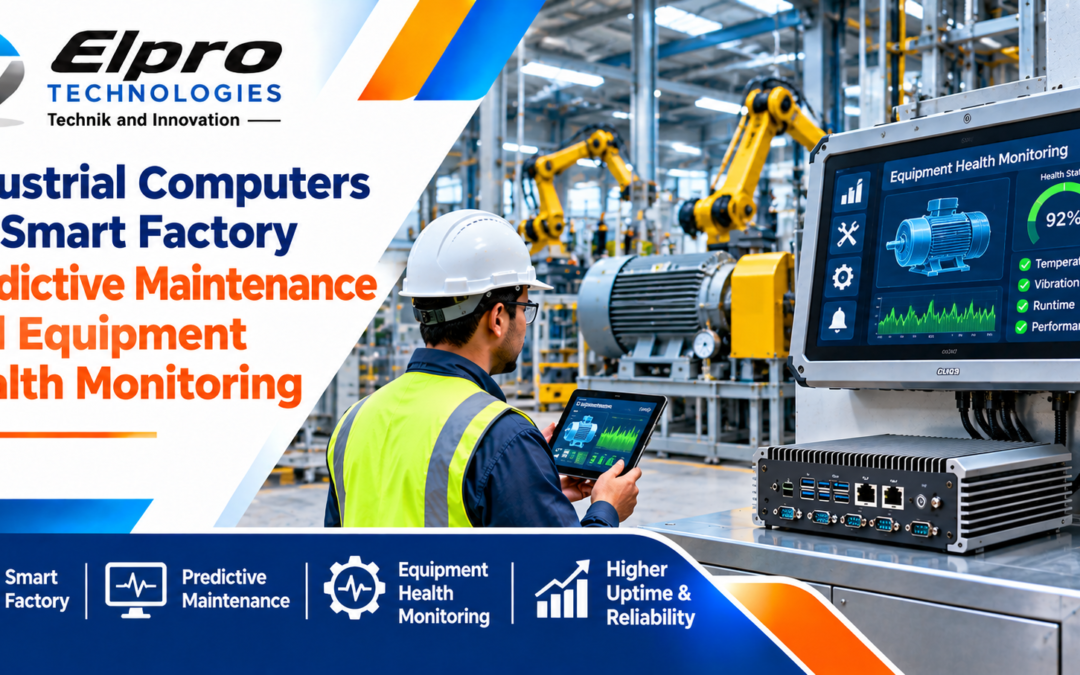
Unexpected equipment stoppages rarely begin with a dramatic failure. More often, small changes in temperature, vibration, current draw, cycle time, or acoustic behavior appear well before a machine stops. Industrial computing gives maintenance teams a practical place to collect those signals, view trends, and connect condition data with the systems that schedule service. For smart factories, the value is not simply having another dashboard—it is turning reliable equipment information into timely, explainable maintenance decisions.
Building a Predictive-Maintenance Data Path
A condition-monitoring architecture may include sensors, motor drives, PLCs, edge gateways, a local industrial computer, plant networks, and maintenance applications. The computer can gather or normalize data, run local rules, buffer records during network interruptions, and present actionable status to operators. The right design begins by mapping each signal from its source to the person or system that must act on it. Teams should identify sampling rates, timestamp sources, data ownership, alarm destinations, and what should happen when a sensor or communication link becomes unavailable.
Edge Processing for Timely Equipment Health Insights
Sending every raw signal to a central server may not be practical for every site. Edge processing can filter noisy readings, calculate rolling statistics, detect threshold changes, and preserve relevant events near the equipment. It can also reduce unnecessary network traffic while keeping essential information available to local staff. Whether analytics run on an industrial PC, an embedded computer, or a central platform depends on model complexity, data volume, response requirements, and the plant’s software architecture. Always validate the actual workload and retention plan rather than assuming that a particular processor class guarantees performance.
Industrial Computing Products for Factory Monitoring
Elpro Technologies’ industrial computing categories can be assessed for different roles in monitoring projects, subject to the exact model and configuration. Industrial PCs may serve as local data concentrators or application hosts; fanless PCs can suit compact installations where dust and maintenance access matter; embedded computers can be integrated into OEM equipment; industrial motherboards support custom system designs; and industrial panel PCs or displays can provide local operator interfaces. Rugged tablets may support maintenance rounds and field documentation. Confirm the interfaces, mounting, thermal limits, operating system, expansion, and lifecycle terms for the specific deployment.
- Industrial PCs and fanless PCs for edge collection and local analytics
- Embedded computers and industrial motherboards for OEM monitoring equipment
- Industrial panel PCs and displays for operator dashboards
- Rugged tablets for inspection, work orders, and field notes
Connecting Sensors, PLCs, Drives, and Maintenance Systems
Before selecting hardware, record the number and type of assets, sensor outputs, PLC or drive interfaces, required protocols, and expected data rates. Check whether the design needs serial ports, Ethernet, digital I/O, isolated interfaces, or expansion cards. Define how the computer will exchange information with SCADA, MES, CMMS, or other plant applications, and verify the software’s supported drivers and protocols. A physical connector alone does not prove end-to-end compatibility; test the complete chain with representative equipment, including alarms, timestamps, and recovery after a communication interruption.
Comparing Industrial Computers with General-Purpose PCs
| Decision point | Industrial computing platform | General-purpose office PC |
|---|---|---|
| Installation | Model options may support panel, cabinet, embedded, or machine-side mounting | May need additional enclosure and mounting accessories |
| Connectivity | Industrial I/O and serial options may simplify integration | Often relies on external adapters |
| Operating conditions | Choose a model rated for actual temperature, dust, and vibration | Usually intended for controlled office environments |
| Lifecycle planning | Confirm availability, support, and replacement terms for the selected model | Consumer refresh cycles may complicate long-term matching |
Compare alternatives against the same documented workload, environmental conditions, interfaces, software requirements, support terms, and total integration cost. A platform is a good fit when it meets the application requirements with sufficient headroom and a maintainable design—not because of a broad claim that one category is universally superior.
Alarm Quality, Cybersecurity, and Resilience
Maintenance alerts should be understandable and useful. Define thresholds, persistence windows, severity, routing, acknowledgement, and escalation before rollout; otherwise teams can be overwhelmed by nuisance alarms or miss important changes. Protect the monitoring computer with controlled accounts, least-privilege access, approved patching, network segmentation where appropriate, secure remote-access procedures, and tested backups. Specify local buffering and restart behavior so that a brief network or power interruption does not silently erase critical records or leave the system in an unknown state.
Commissioning and Acceptance Testing
Test the system with representative assets and normal operating variation. Confirm data accuracy, timestamp consistency, dashboard refresh, alarm behavior, maximum expected data load, and recovery after disconnection or restart. Compare the monitoring output with known maintenance observations and instrument readings. Document who owns each alarm, how a work order is created, what data is retained, and how software or hardware changes are validated. A limited pilot can expose sensor placement, cabling, enclosure, or workflow issues before the design is repeated across the plant.
How Elpro Technologies Can Support a Monitoring Project
Elpro Technologies supplies industrial computing product categories used in automation, monitoring, and equipment integration. To narrow a suitable platform, share the asset types, signal sources, interface and protocol requirements, software stack, installation environment, expected data volume, and lifecycle needs. Explore related categories at industrial PCs, fanless PCs, embedded computers, industrial motherboards, industrial panel PCs, and rugged tablets. Product selection should be based on documented compatibility and project validation.
Frequently Asked Questions
What is predictive maintenance?
It uses condition information and operational history to help estimate when maintenance may be needed, rather than relying only on fixed intervals or waiting for failure.
What does an industrial computer do in a monitoring system?
It can collect, buffer, process, display, or forward equipment data as part of the designed system architecture.
Which signals are useful for equipment health?
Depending on the asset, teams may monitor vibration, temperature, current, pressure, cycle time, runtime, or other measurable indicators.
Can a single computer monitor multiple machines?
Potentially. Capacity depends on signal count, sampling rates, software load, interfaces, and the required retention and response behavior.
Does predictive maintenance require AI?
No. Thresholds, trend rules, and statistical methods can be useful. Advanced models should be selected only when the data and use case justify them.
Can an industrial PC connect to PLCs and drives?
It may, when the required interfaces, protocols, drivers, and application architecture are supported and tested.
Is a fanless PC suitable for factory use?
It can be, if its thermal design and operating limits match the actual enclosure, workload, and ambient conditions.
How should alarms be designed?
Define severity, persistence, routing, acknowledgement, escalation, and clear operator action to reduce nuisance alerts.
Can monitoring continue during a network outage?
Local processing and buffering can support this if storage, outage duration, and recovery behavior are specified and validated.
What cybersecurity controls should be included?
Plan least-privilege accounts, secure remote access, approved updates, backups, and appropriate network segmentation.
What should be tested before deployment?
Validate signal accuracy, data timing, alarm behavior, peak load, outage recovery, restart behavior, and the maintenance workflow.
What information helps select a suitable platform?
Provide asset count, signal types, interfaces, protocols, software, environmental conditions, data rates, and support expectations.
Elpro Technologies
Technik and Innovation
For product information and project discussions, visit Elpro Technologies.