
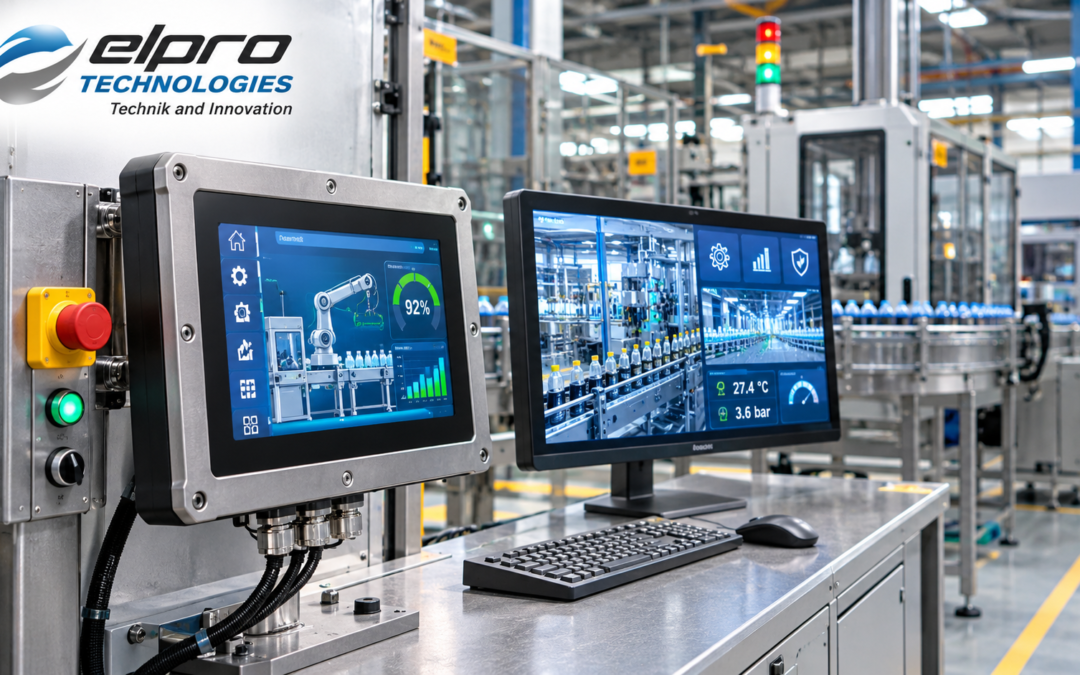
Industrial PCs selection guide from Elpro Technologies
The Role of Industrial PCs in Smart Manufacturing
Industrial PCs provide the computing layer for production monitoring, machine control, data acquisition, machine vision and operator applications. They are selected for the physical environment and interfaces of a plant, not simply for benchmark performance. A suitable system helps connect equipment with supervisory software while remaining serviceable over the expected lifecycle. Begin by mapping the machine, application and production process the computer must support.
Translate the Application Into a Hardware Specification
List the software, operating system, processor load, memory requirement, storage, display outputs and peripheral connections. Include startup behavior, recovery expectations and whether the system must run continuously. Record the maximum ambient temperature, vibration, dust exposure and available cabinet space. This application-first approach avoids paying for unused capacity while reducing the risk of choosing a platform that cannot support future software revisions.
Processor, Memory and Expansion Choices
Processor selection should reflect application threads, graphics, data processing and software compatibility. Memory capacity should cover the operating system and all active applications with suitable headroom. Expansion may be required for additional Ethernet, serial ports, digital I/O, fieldbus cards or graphics. Confirm that the chassis and motherboard support the required modules and that the selected configuration can be maintained over the planned service period.
Storage and Data Protection
Industrial PCs may write production logs, inspection images, historian data and system records. Estimate capacity, write intensity, retention and recovery time before selecting an SSD. Consider industrial-rated storage where temperature, vibration or endurance demands justify it. Define a backup image, application restore process and data retention policy so a hardware replacement does not become a lengthy production interruption.
Connectivity and Network Architecture
The I/O list should include PLCs, drives, barcode scanners, cameras, printers, displays and maintenance devices. Multiple Ethernet ports can help separate machine networks from plant or service networks, provided the network architecture is designed correctly. Check serial standards, connector types, port isolation where required and driver support. Test communication with the actual automation devices and software before approving the design.
Cooling, Enclosure and Installation
Fanless and fan-cooled industrial PCs serve different thermal and performance needs. Fanless systems reduce moving parts and dust intake, while active cooling can support higher thermal loads when designed and maintained properly. Check cabinet temperature, airflow, mounting, cable bend radius and access for service. A computer should be evaluated as an installed system, including power supply and enclosure, rather than as a standalone board.
Industrial PC Product Categories
Common options include compact fanless PCs, rackmount industrial computers, embedded box PCs, panel computers, GPU-enabled systems, multi-LAN computers, industrial motherboards and expansion modules. The correct category depends on the application and installation. A machine-vision station may prioritize camera interfaces and compute, while a control cabinet may prioritize compact mounting and serial connectivity. Confirm the full bill of materials and compatibility.
Commissioning and Long-Term Support
Before deployment, validate boot recovery, application startup, communications, thermal behavior and performance under a representative production load. Document BIOS settings, operating-system image, drivers, network configuration and spare-part identifiers. Schedule preventive checks for storage health and software updates. Elpro Technologies can help review industrial computer requirements and discuss configurations for manufacturing, automation and monitoring projects.
Related Industrial Products to Consider
- Industrial PCs
- Industrial embedded computers and box PCs
- Industrial motherboards and expansion modules
- Industrial SSD storage and memory
- Industrial displays, touch monitors and interface peripherals
- Networking, serial and I/O accessories
Frequently Asked Questions
What makes an industrial PC different from an office PC?
Industrial PCs are selected for application-specific reliability, mounting, connectivity, thermal design and service conditions. Exact capabilities vary by model and configuration.
Where are industrial PCs used?
They support machine control, production monitoring, data acquisition, machine vision, test systems, logistics, kiosks and supervisory applications.
Which processor is best?
Choose according to software compatibility, compute load, multitasking, lifecycle and thermal limits. Benchmark the intended application with representative data.
Are industrial PCs suitable for 24/7 use?
A properly specified system can be designed for continuous operation, but workload, cooling, power quality, storage endurance and maintenance practices all matter.
What operating systems are supported?
Support depends on the hardware platform and vendor validation. Confirm Windows or Linux version, drivers, licensing and long-term update requirements.
How many ports do I need?
Count displays, cameras, PLC links, barcode readers, storage, network segments and service peripherals, then allow spare capacity for future expansion.
What is the role of DIN-rail mounting?
DIN-rail mounting can simplify installation inside control cabinets. Check the device’s approved mounting method, clearances, vibration and cabinet temperature.
Should I choose fanless or fan-cooled?
Fanless designs reduce moving parts and dust intake; fan-cooled systems may support higher thermal loads. Compare sustained performance at the actual ambient temperature.
Can an industrial PC use multiple LAN ports?
Some models provide multiple Ethernet interfaces for separating machine, plant and service networks. Verify port count, speed and controller requirements.
How do I plan storage?
Estimate OS, application, log and data capacity, write endurance, retention and recovery needs. Industrial SSD selection should reflect the write workload.
What maintenance is required?
Plan inspection, backups, software updates, storage health checks, cleaning where appropriate and spare-unit strategy according to the operating environment.
What information should I send a supplier?
Share application software, I/O list, processor load, display needs, environment, mounting, power, operating system and expected lifecycle.
About Elpro Technologies
ELPRO TECHNOLOGIES
Technik and Innovation
#43, 2nd Cross Road, P&T Colony, R.T. Nagar, Bengaluru – 560032
sales@elprotech.in | info@elprotech.in
+91-8892147021 | +91-8892147023
www.elprotech.in